
Before you start
- An Aquila account
- A Spaceship Spacemail mailbox
- The mailbox password or app password required by your account
- A Claude client that can connect to an MCP server
Connect your Spacemail mailbox in Aquila
- Open the dashboard and choose Add inbox
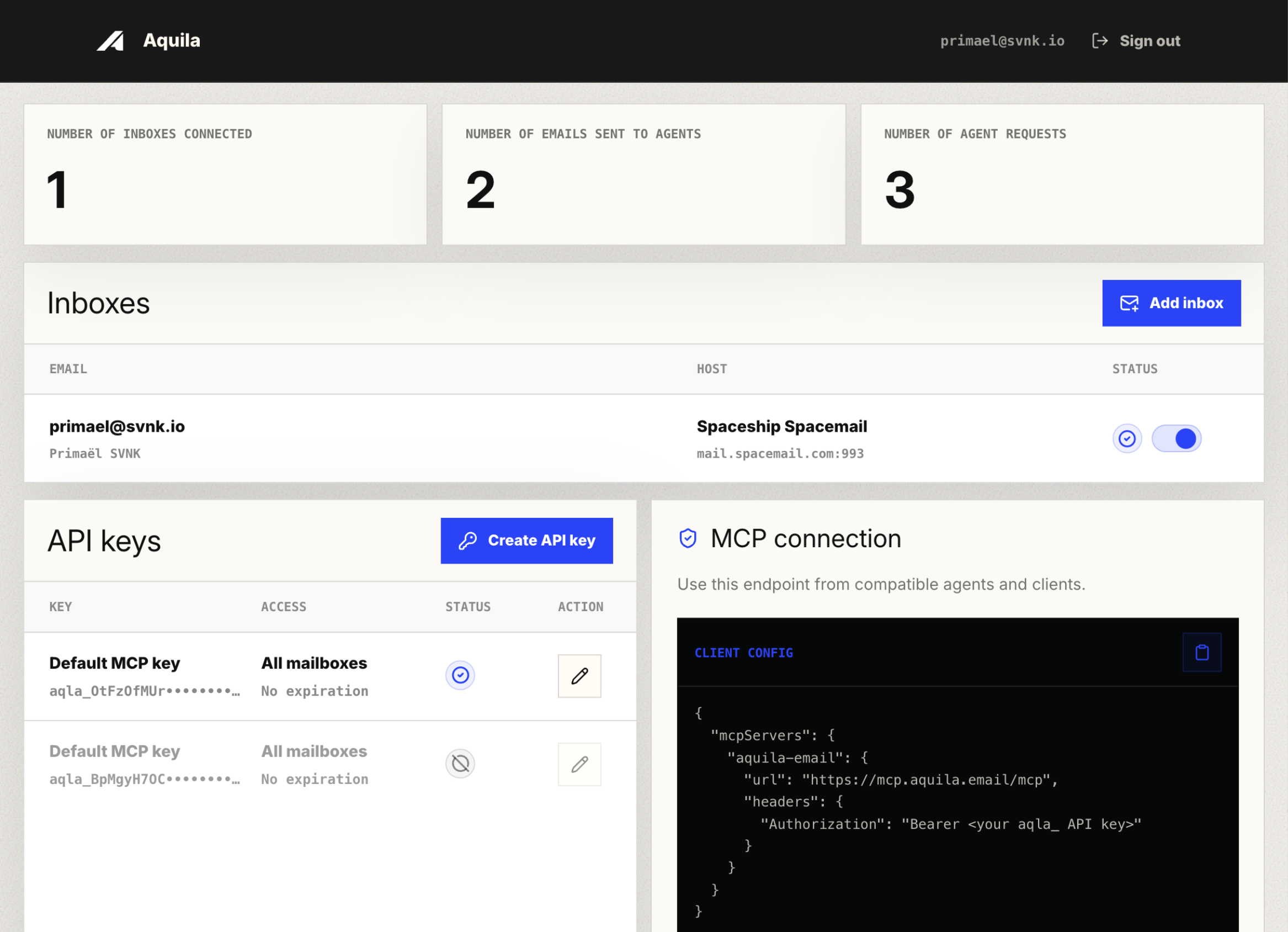
Click Add inbox from the Inboxes table header. - Select Spacemail as a provider
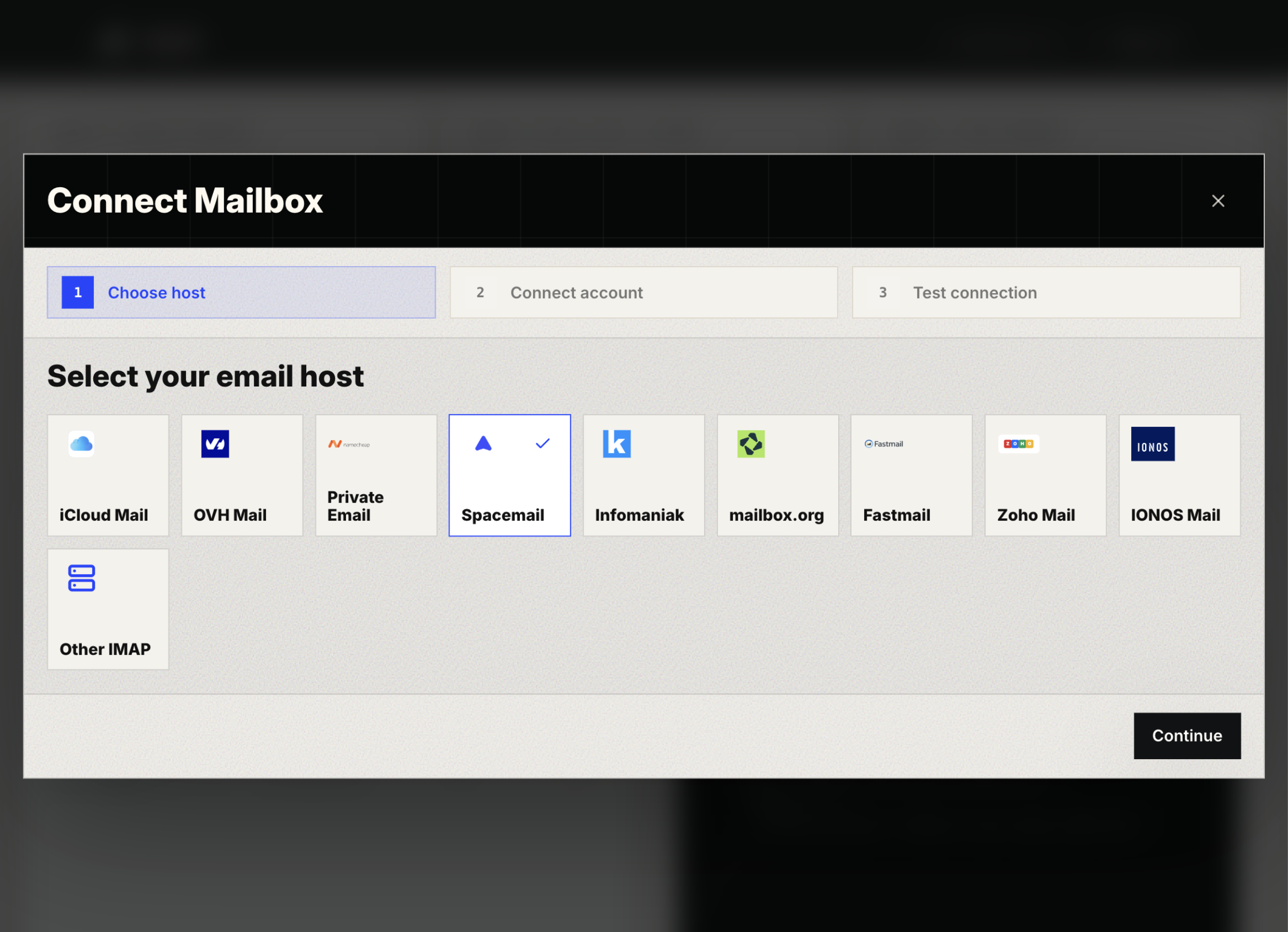
Select Spacemail in the host picker. - Give your inbox a name, enter your email address and password
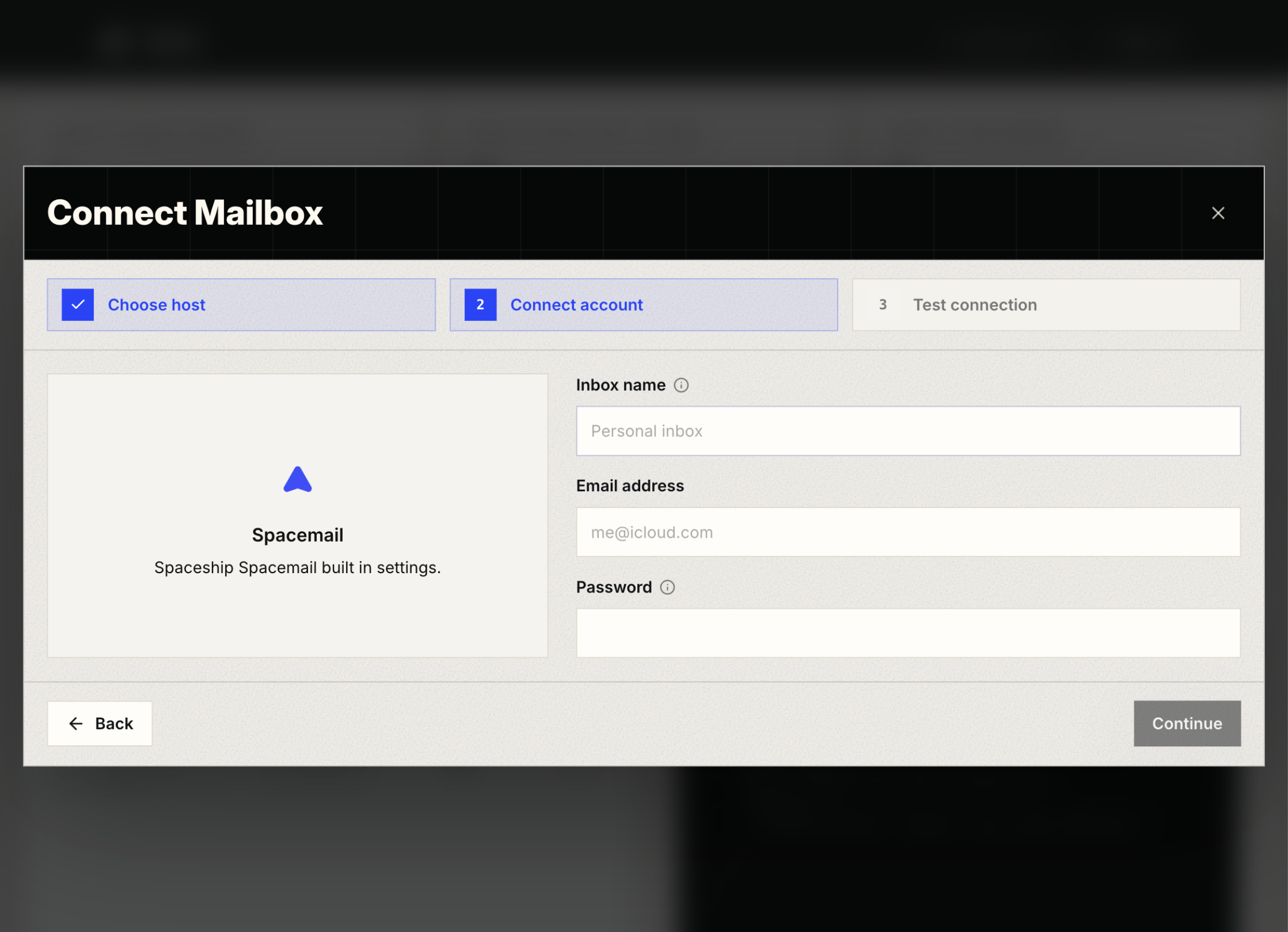
Enter the inbox name, email address, and password before continuing.
Test and save the mailbox
Aquila tests the incoming IMAP connection and, when SMTP is enabled, the outgoing SMTP connection before saving credentials.
- Use the mailbox credential required by Spaceship for IMAP and SMTP access.
- A successful test confirms that the agent can reach the mailbox through Aquila.
- Mailbox credentials are encrypted at rest and decrypted only for request-time access.
Use this slot for the Aquila Test connection step after the check animation succeeds.
Create an API key for Claude
Create a dedicated API key for each agent or workspace so access can be audited, scoped, and revoked independently.
- Name the key after the agent or environment that will use it.
- Select only the mailboxes this key should expose.
- Optionally set an expiration date for temporary projects or contractor access.
Use this slot for the Aquila API key configuration dialog with mailbox access selected.
Add Aquila as an MCP server in Claude
Use the Aquila MCP endpoint and the API key you created. The endpoint is http://localhost:8080/mcp.
- Use an Authorization bearer token header with the API key.
- Keep the API key secret. Aquila only shows it once after creation.
- After connecting, ask the agent to list connected email addresses to verify access.
Use this slot for the Claude MCP server configuration screen.
Reusable MCP configuration block
Use this block in every guide and replace the API key placeholder with the one-time key copied from Aquila.
{
  "mcpServers": {
    "aquila-email": {
      "url": "http://localhost:8080/mcp",
      "headers": {
        "Authorization": "Bearer <your aqla_ API key>"
      }
    }
  }
}
FAQ
Can I connect multiple mailboxes to Claude?
Yes. Connect multiple mailboxes in Aquila, then choose which inboxes your Claude API key can access.
Do I need to have access to the Spaceship dashboard?
No. You only need the Spacemail address and the mailbox password.
Can I connect my Spacemail address to other agents?
Yes. Aquila exposes your mailbox through a standard MCP endpoint, so you can create separate API keys for other compatible agents.
Is Aquila free to use?
Aquila includes a 7-day free trial.